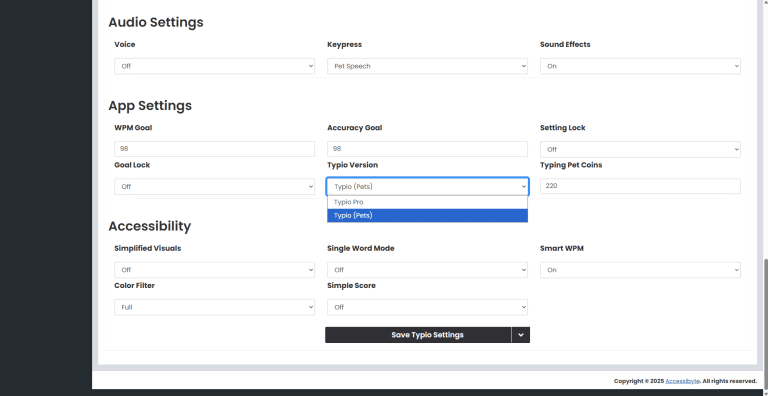
Switching your student between Typio Pets and Typio Pro
Typio Version Help
Switching Between Typio Pets and Typio Pro
Purpose
This article explains how to switch a student between Typio Pets and Typio Pro in the teacher dashboard. This lets you choose the version of Typio that best fits the student’s needs.
How to Access
Log in to your teacher dashboard.
Go to the My Students page.
Click Overview for the student you want to update.
From the student’s Overview page, click the Typio tab.
Scroll down to Settings > App Settings.
Find the Typio Version dropdown.
Choose either Typio Pets or Typio Pro.
Click the Save button.
Frequently Asked Questions
Where do I change the Typio version?
Open the student’s Overview page, click the Typio tab, then scroll to Settings > App Settings.
Do I need to save the change?
Yes. After choosing Typio Pets or Typio Pro, click the Save button to apply the update.
Can I switch a student back later?
Yes. You can return to the same setting and change the version again at any time.