
A Fresh New Step Forward from Quick Cards
Accessibyte Flashcards is here, bringing a stronger, friendlier and more flexible study experience to the Accessibyte Learning platform.
Flashcards builds on what teachers and students already liked about Quick Cards: simple card creation, clear study activities and accessible practice. The new version keeps that familiar foundation while adding several meaningful improvements that make flashcard study easier to start, easier to customize and easier to use across different subjects.
Built-In Library
One of the biggest additions is the new Built-In Library. Instead of starting every deck from scratch, teachers and students can now explore included decks designed to provide useful starting points, examples and ready-to-use practice materials.
The Library gives teachers a faster way to introduce flashcard activities and a clearer way to see what is possible. It can support common classroom needs, accessibility-related topics, braille practice, language learning and more.
This Library is just a starting point. We added it based on what users have been telling us in person at conferences and online, and we plan to keep expanding it over time. If there are decks, topics or categories you would like to see included, let us know.
Multilingual Support Per Card Side
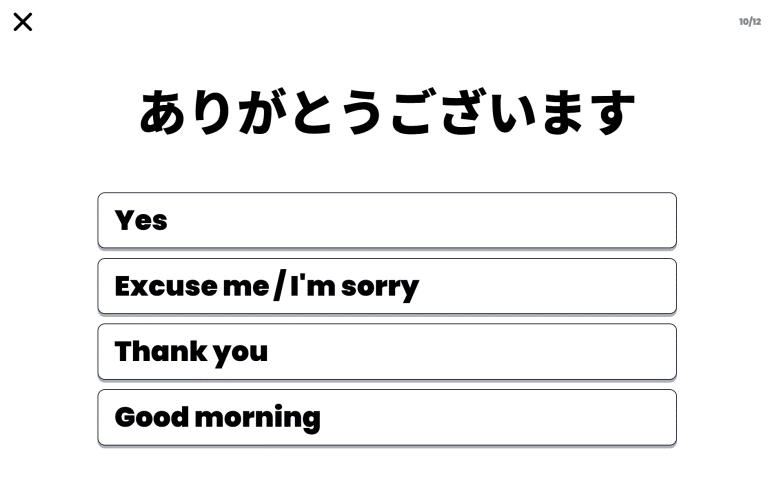
Accessibyte Flashcards now supports multilingual content on each side of a card. That means one side of a card can be marked for one language while the other side can be marked for another.
This is especially useful for language study, vocabulary practice, translation activities and decks that mix English with Spanish, French, German, Japanese or other supported language content. The goal is to make multilingual cards feel natural while keeping the deck creation process approachable.
Braille Decks Included
Braille is also included in the Built-In Library, with decks covering alphabet, numbers, punctuation, contractions and Nemeth. These decks are meant to provide a helpful foundation for braille practice, review and instruction.
To support different learners and access needs, braille is presented in printed braille dots on screen and spoken in a naturally understandable format, such as “Dots 1, 2 and 4.” This helps students connect the visual or tactile braille cell with clear spoken descriptions.
These braille decks are just a starting point. We will continue updating and expanding them based on user feedback, classroom needs and the kinds of braille practice teachers and students tell us would be most useful.
Improved In-App Deck Editor
Flashcards also includes an improved in-app deck editor, making it easier to create and adjust decks directly inside the app. Teachers and students can quickly switch languages for each side of a card, copy existing cards to speed up deck creation and reorder cards as needed.
These same deck editing improvements are planned for the Teacher Dashboard deck editor soon, when our relaunched dashboard goes live. This will make it easier to create, organize and manage Flashcards decks from either the student app or the teacher tools.

Smarter Practice Mode
Practice mode has also been improved with algorithmic card presentation. Instead of simply moving through cards in a fixed order, Practice mode can present cards in a more purposeful way during a session.
This helps flashcard practice feel less flat and more responsive. Students can keep moving through a deck while the app supports review, repetition and steady progress without making the activity feel complicated.
A Friendlier Tone
Flashcards also introduces a warmer tone throughout the experience. The app is designed to feel calm, encouraging and easy to stay with, especially during repeated practice.
The goal is not to distract from the cards. The goal is to make another round feel a little more inviting and to help students build confidence as they study.
What Accessibyte Flashcards Includes
- Everything teachers and students expected from Quick Cards.
- A new Built-In Library of decks and examples.
- Multilingual support for individual card sides.
- Smarter Practice mode card presentation.
- A warmer, more encouraging app tone.
- Accessible design for a wide range of students and devices.
Built for Real Accessibility
Like other Accessibyte apps, Flashcards is designed with accessibility at the foundation. It supports students using built-in voicing, visual access, keyboard navigation, screen readers, braille displays, switch controls, touch, mouse and more.
Flashcard practice should be simple to understand, easy to navigate and flexible enough to support the way each student accesses technology.
More Than a New Name
Accessibyte Flashcards is more than a rename of Quick Cards. It is a more complete, more flexible and more student-friendly version of the same core idea: accessible study cards that teachers can actually use and students can actually enjoy practicing with.
With the Built-In Library, multilingual support, smarter Practice mode and a friendlier tone, Flashcards gives students a better place to review, remember and build confidence one card at a time.